
01
Know what’s yours to spend.
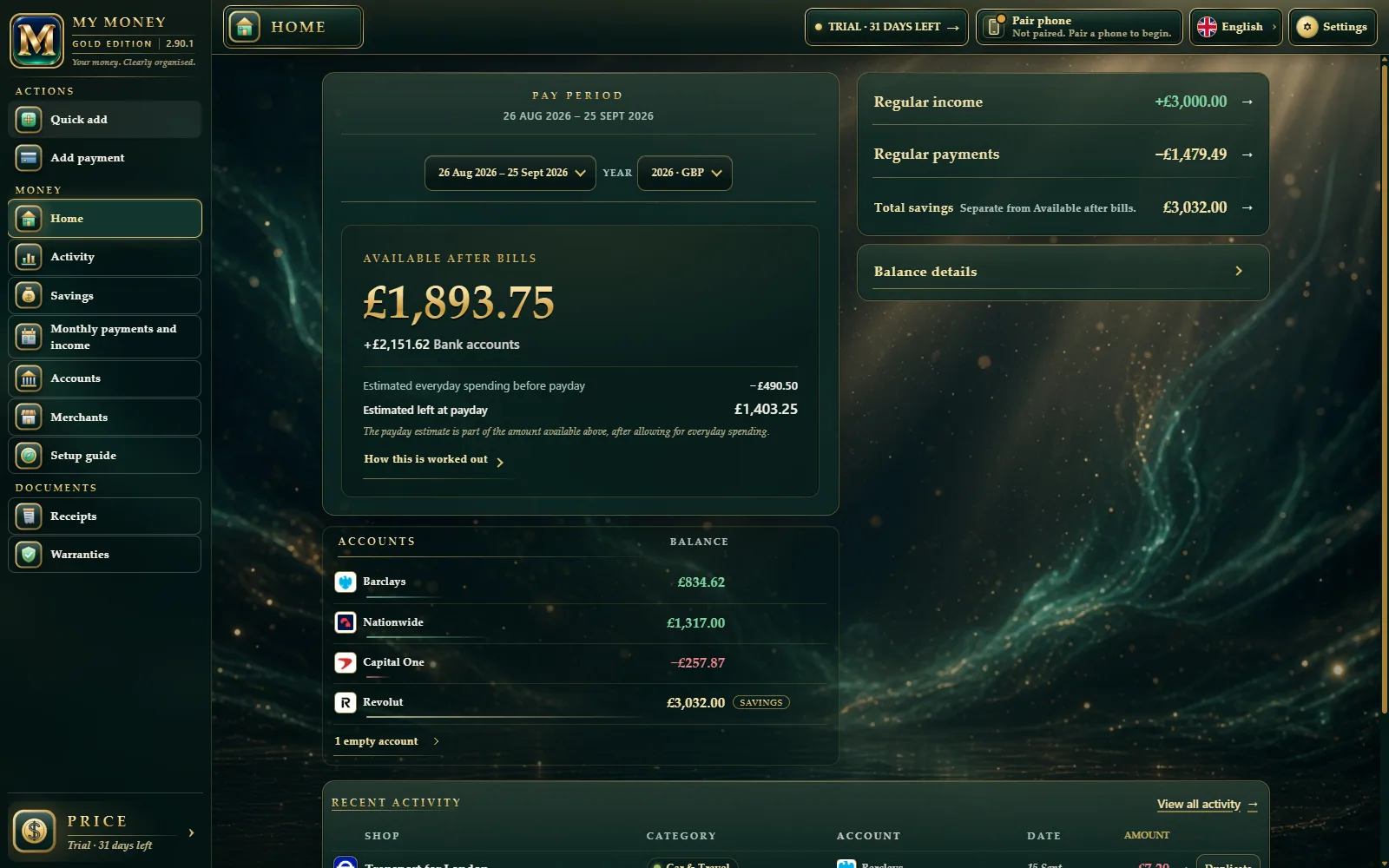
See your available amount, estimated everyday spending before payday and what may remain, together in one clear calculation.
A calmer way to manage everyday money
Know what’s available after bills. See what may remain at payday. A beautifully simple household money book, kept on your own devices.
Room to breathe
The bills, the everyday spending, the things you’re saving for. Bring them into one clear picture, so your next decision feels a little easier.
See your available amount, estimated everyday spending before payday and what may remain, together in one clear calculation.
An amount and who it was for. Quick add fills in the date, so recording everyday spending takes less effort.
Keep expected income and bills together. Set the dates, the paying account and when a regular payment ends.
Made for real life
Capture the little things on Android. Take in the whole picture on Windows. Two complete apps, with private Wi-Fi sync at home to keep one household book.
Set up your everyday money.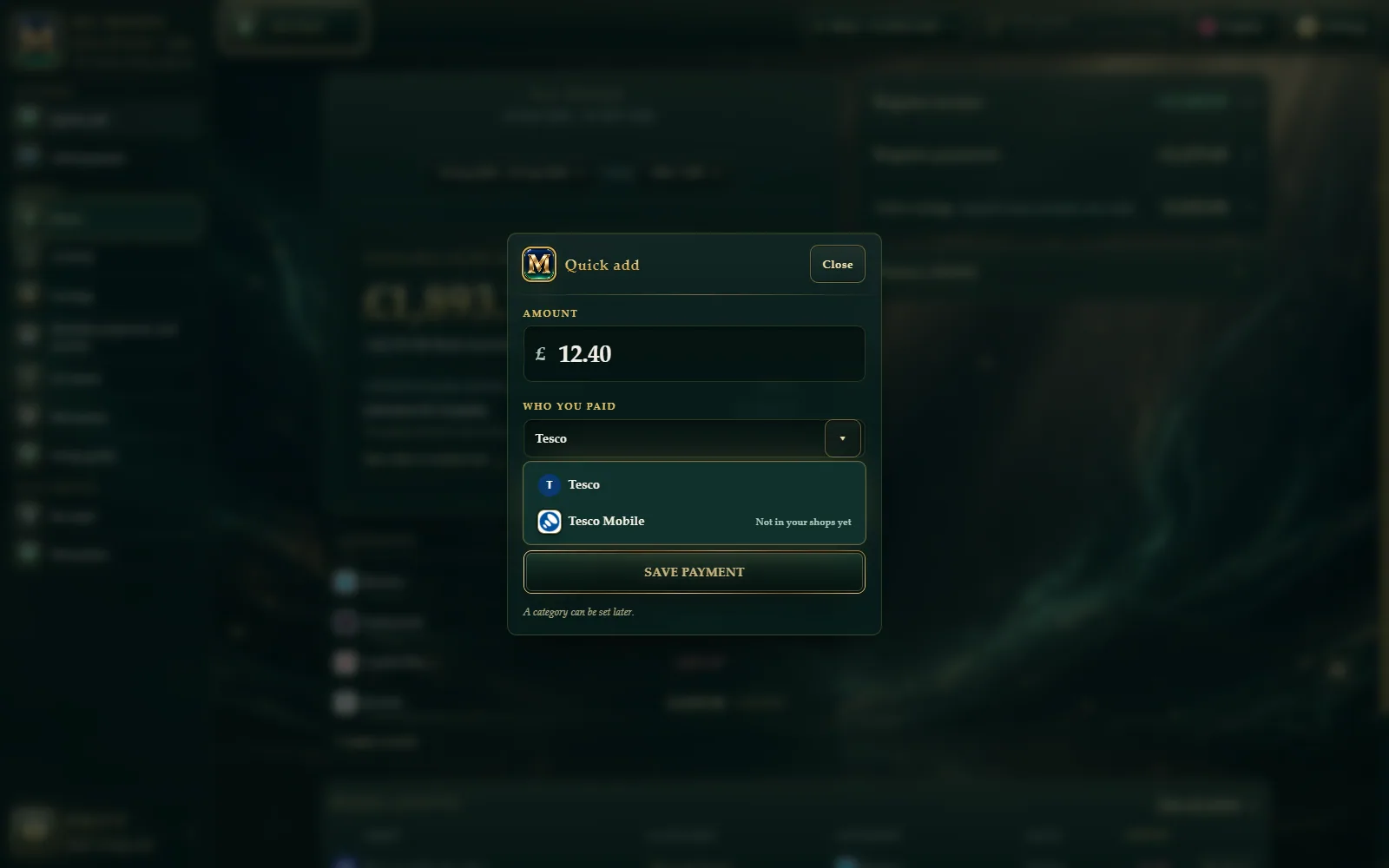
Personal means personal
Your household money belongs with you. MY MONEY keeps your records on your devices and puts you in charge of what you enter, back up and share between them.
A look that feels like you
Bright and clear. Quiet and dark. Or a little Gold Plate. Explore three ways to see the same sample household.
Setup guide
Choose the language you see, and which money the household book uses.
Pick when your spending period starts — usually the day your main pay arrives.
Add the banks and cards you use. Add a savings account if you want to track savings too.
Add what you expect each month. If it changes, say so and give a usual-month amount.
Add your expected bills. On each one, choose which account pays and which day it goes out.
Simply yours
At release, try everything free for 31 days. Then choose one app, both apps or the Family pack. Pay once, with no subscription.
31-day full-access trial planned for releaseWindows or Android
See the appsOne device is enough. Pay once. No subscription.
Windows + Android
See the appsPC + one phone. Pay once. No subscription.
1× Windows + 2× Android
See the appsBetter value than buying two Both packs (£98). Pay once.
Gold Plate is an optional £3 extra with a single app. Included with Both and Family.
No. MY MONEY never connects to a bank and never asks for bank passwords. You type in what the household needs to track.
Two fields: how much and who. The date fills itself. Popular shops and banks are ready to tap — we never ask for bank passwords.
No. Names and marks are only so you can tap faster. Nothing downloads from your bank.
On your PC and phone. Not on our servers. You can export a backup when you want.
That’s fine. Buy Windows or Android for £29. Each app is a full household ledger on its own.
Same power, different place. Phone in your pocket while you’re out (works offline). PC at the desk for a calmer look at the month. When you’re home, they sync on your private Wi-Fi so it’s still one household book.
You can still see your numbers and use backups. Adding new entries and sync waits until you unlock with the one-time purchase.
No subscription — £29 one app, £49 both, £69 Family, pay once. Because the trial is full access, purchases are final — we don’t offer refunds.
Once. Your key is checked with our website, which remembers that device so the key cannot be passed round. After that the app works with no internet at all. No money data is ever sent — only the key and a code that names the device.
Product preview
MY MONEY is in private preview. Release downloads for Windows and Android are not available yet. Get in touch to ask about the preview.
Made for Windows & AndroidQuestions about the app, trial, unlock, or sync? Email MY MONEY Support.
Opens your email app with this address filled in. The website does not send the message for you. Never email keys, passwords, payment details, or private money files.